
Client : Wilbur-Ellis
Project: Web Redesign
Role : Ux/Ui Designer

Wilbur-Ellis is an almost 100-year-old company of three business divisions. The scope of this project was to update their web presence and create a corporate website that will unify their different businesses under one umbrella. As part of their expansion into manufacturing agricultural devices and automated farming equipment, they needed a good looking and functional website where their warm family culture would resonate. In addition, they wanted a very robust Careers section to attract graduates and reenergise academic interest in the field.

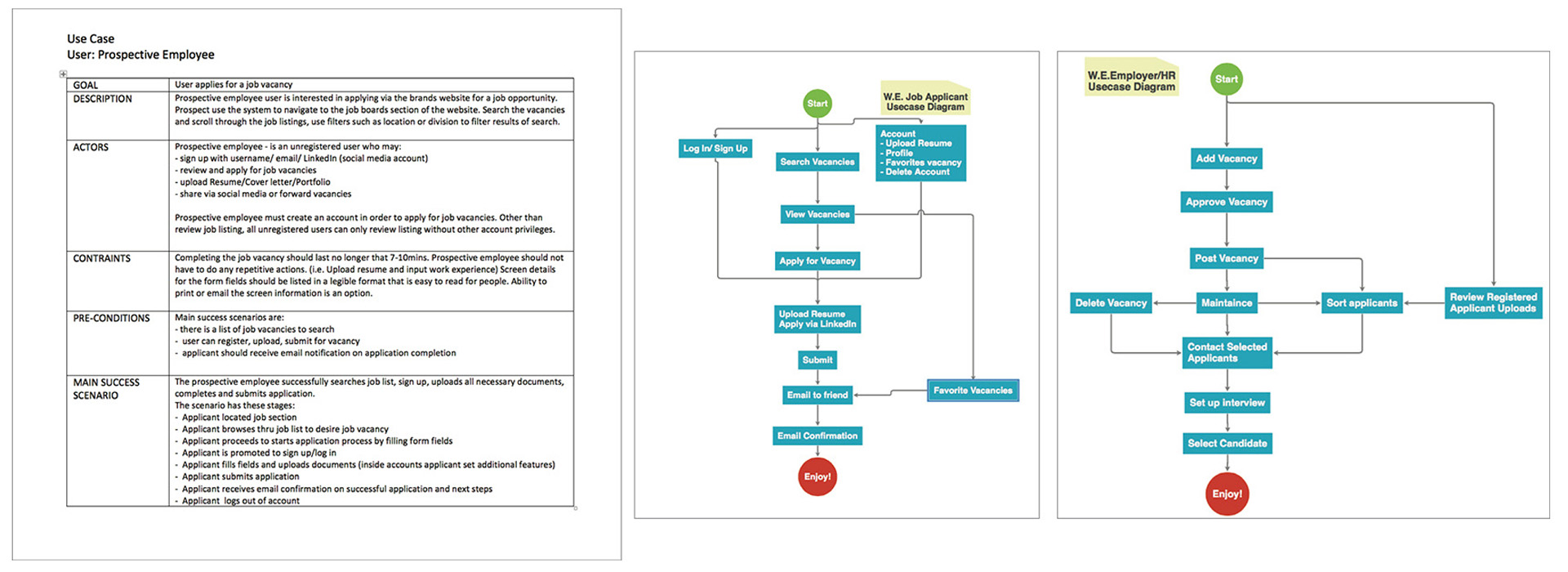
Flow Diagrams

Based on the Personas and user scenarios, I then proceeded to sketch the interface interactions. The diagrams take into account each platform that we were designing for : iOS, Android, and Web. These flow diagrams depict every interaction that the user is able to reach within the application. These flows were then validated with developers to ensure the back end could support everything that the user interface would need to do.

My Role in the Team

I was responsible for the following: • Establish a UI strategy based on user-centred design principles • Perform extensive UX research in discovery and definition phases • Gather all insights and create visual strategy • Develop a visual style and high-quality pixel perfect design • Provide a valid and responsive prototype • Establish all interactive elements

Comparative Analysis

Staying smart on the competitive landscape helps you make very practical decisions around product development, messaging, trend. Looking at these brands, I was able to assess and gather intelligence. Not only can you learn from competitors, but you can also learn to avoid the mistakes they make.

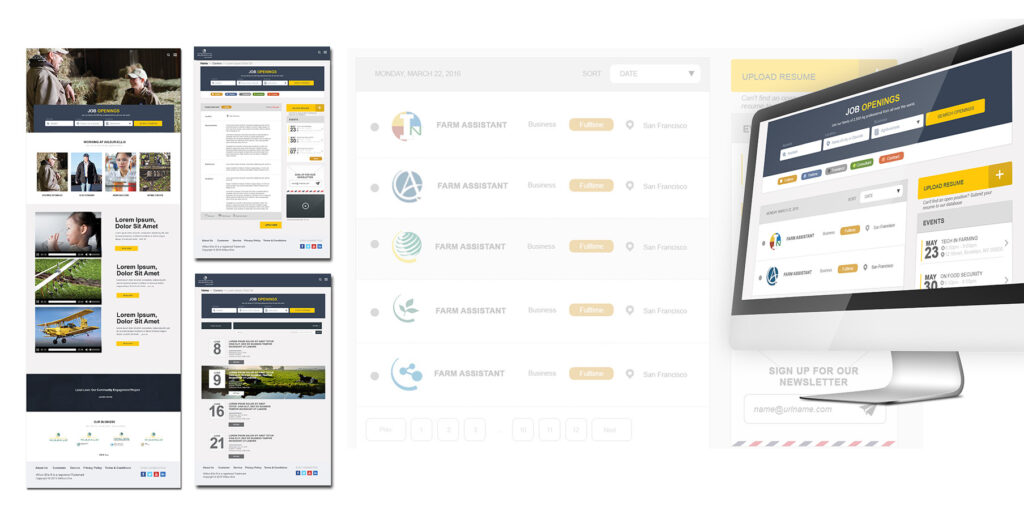
Low Fidelity Wireframes

I use low-fidelity prototypes in order to have an early validation of the product, saving time and making sure I’m not producing wasteful design work. I can easily and efficiently make changes while including users and stakeholder feedback based on their reactions.

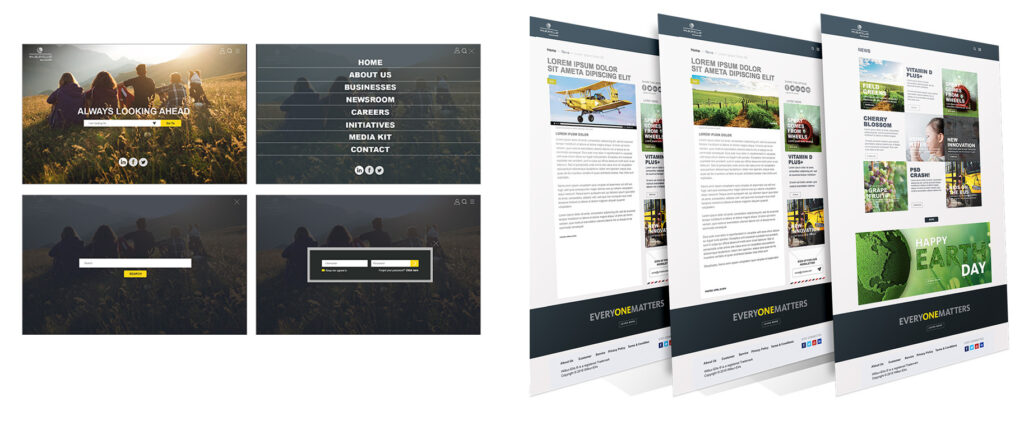
High Fidelity Design

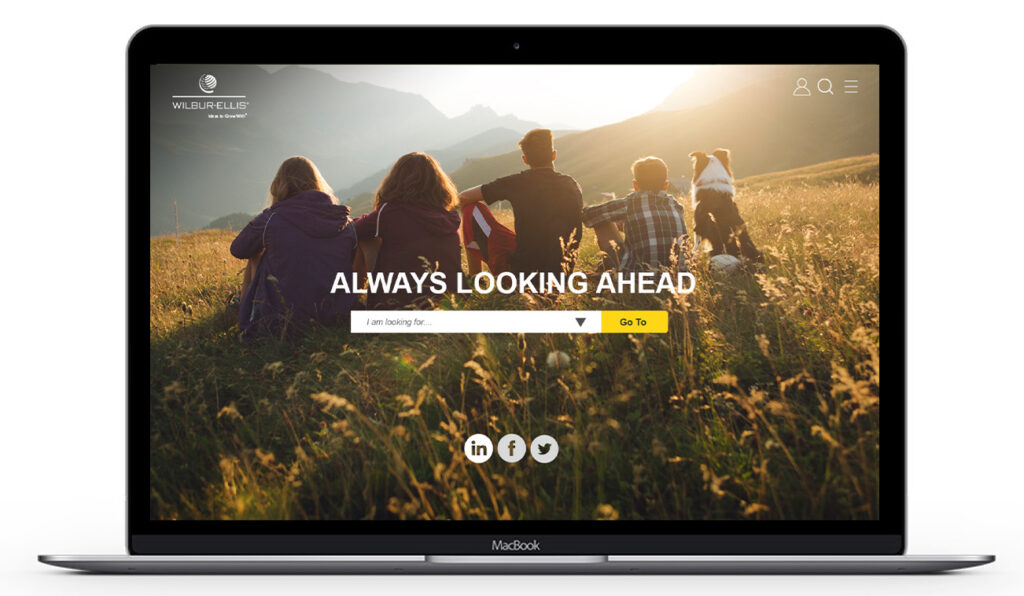
Once the wireframes prototypes were tested the UI design were updated accordingly as iterations were needed. I used UXPin for the high fidelity prototypes. A subtle cinemagraphy image with with a simple and clean global nav.

Achievements

What did I achieve during this project? • Client feedback was positive, client loved the beautiful design system and how it found same balance of consistency and variety • Created cinemagraph effects for images on the homepage • Introduced color as a sublie visual cue to identify and easily distinguish the 3 main company business it was immediately adopted to their branding and styleguide.

Retrospective

What did I learn during the development process? • As designers we must anticipate that the needs of clients change • Necessity to share moodboards with client team. • The importance of users trying to accomplish tasks on early prototypes is the most effective and efficient way to uncover usability problems.